Amazon Echo Dot Review 2025: Features, Sound Quality, and Is It Worth Buying?
An honest breakdown of daily use, smart features, and whether Echo Dot still makes sense in 2025
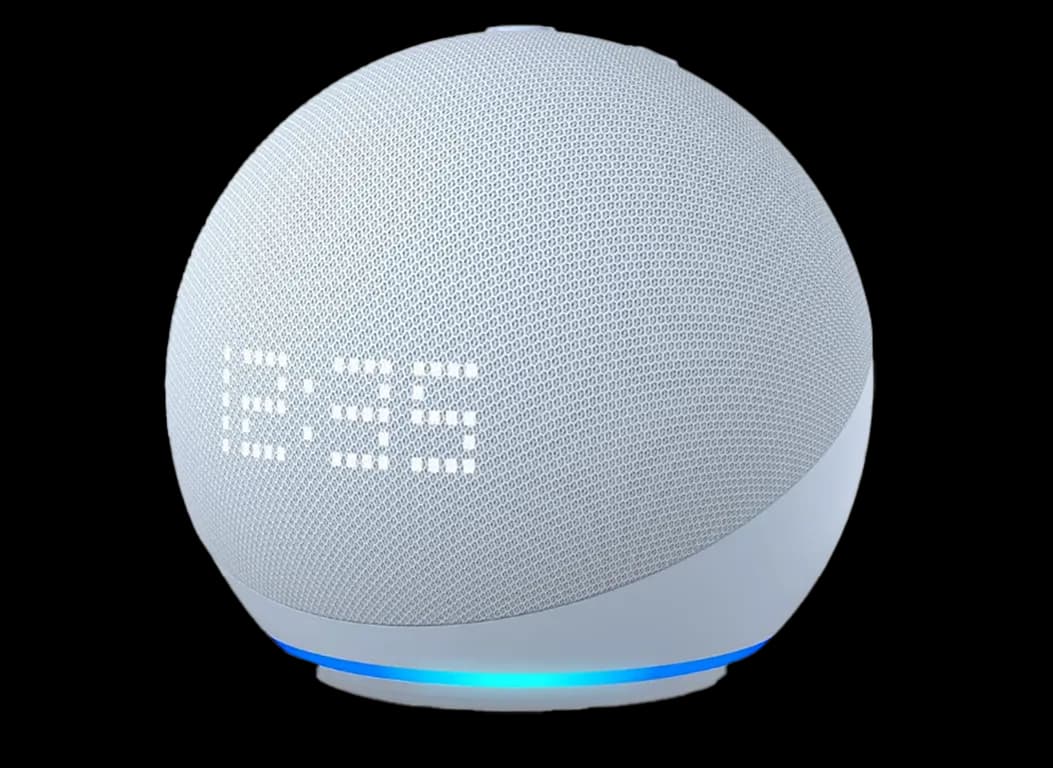
Introduction: SmaComplicatedrt Living Doesn’t Have to Be
There was a time when the idea of a “smart home” sounded expensive, complicated, and honestly a little unnecessary. Voice-controlled devices felt like something only tech lovers or big-budget households would bother with. That’s exactly why the Amazon Echo Dot became so popular. It didn’t try to be flashy. It didn’t demand a learning curve. It simply fit into everyday life. You plug it in, talk to it like a person, and slowly realize how many small tasks you’ve stopped thinking about. Music, alarms, reminders, weather updates, lights—handled. Quietly. Reliably. This article is a real, human-focused review, written for people who want to understand what the Echo Dot is actually like to live with—not just what’s written on the box. What Is the Amazon Echo Dot?
In simple terms, the Amazon Echo Dot is a compact smart speaker powered by Alexa, Amazon’s voice assistant.
Instead of tapping screens or opening apps, you just speak.
You say:
“Alexa…”
And the Echo Dot listens.
From that moment on, you can:
Play music
Ask questions
Set alarms and reminders
Control smart home devices
Get news, weather, and updates
Automate daily routines
It’s not trying to replace your phone.
It’s there to reduce friction in your day.
Design: Minimal, Friendly, and Home-Ready
The Echo Dot’s design is intentionally simple—and that’s a good thing.
It’s small enough to:
Sit on a bedside table
Blend into a bookshelf
Live quietly on a kitchen counter
The rounded shape feels soft and non-intrusive. It doesn’t scream “technology.” It feels more like a home accessory than a gadget.
This matters, because it means you don’t feel the urge to hide it or unplug it. It belongs where you put it.
What Is the Amazon Echo Dot?
In simple terms, the Amazon Echo Dot is a compact smart speaker powered by Alexa, Amazon’s voice assistant.
Instead of tapping screens or opening apps, you just speak.
You say:
“Alexa…”
And the Echo Dot listens.
From that moment on, you can:
Play music
Ask questions
Set alarms and reminders
Control smart home devices
Get news, weather, and updates
Automate daily routines
It’s not trying to replace your phone.
It’s there to reduce friction in your day.
Design: Minimal, Friendly, and Home-Ready
The Echo Dot’s design is intentionally simple—and that’s a good thing.
It’s small enough to:
Sit on a bedside table
Blend into a bookshelf
Live quietly on a kitchen counter
The rounded shape feels soft and non-intrusive. It doesn’t scream “technology.” It feels more like a home accessory than a gadget.
This matters, because it means you don’t feel the urge to hide it or unplug it. It belongs where you put it.
Setup: Genuinely Beginner-Friendly
One of the Echo Dot’s biggest strengths is how easy it is to set up. You don’t need technical knowledge. You don’t need to read long manuals. Setup takes about five minutes: Plug in the Echo Dot Open the Alexa app on your phone Connect to Wi-Fi Done That’s it. If you can install an app, you can use the Echo Dot. Alexa: The Real Reason People Love Echo Dot The speaker itself is important—but Alexa is the heart of the experience. Alexa isn’t perfect, but it’s practical, responsive, and surprisingly helpful once you start using it naturally.Music and Audio
You can say: “Alexa, play some relaxing music” “Alexa, play my favorite playlist” “Alexa, turn the volume down” The Echo Dot supports popular services like Spotify, Amazon Music, and Apple Music. The sound quality is clean and balanced, especially for a device this size. This isn’t a party speaker—but for bedrooms, offices, and small rooms, it feels just right.Alarms, Reminders, and Daily Routines
This is where many people stop using their phone alarms. You can: Set multiple alarms with voice Create reminders for specific times Build daily routines For example: “Alexa, wake me up at 6:30 every weekday.” Or: “Alexa, remind me to take my medicine at 9 PM.” It feels natural. No typing. No screens.
Weather, News, and Quick Answers
Instead of unlocking your phone and searching, you just ask. “Alexa, what’s the weather today?” “Alexa, what’s the news?” “Alexa, how long does rice take to cook?” Alexa handles everyday questions well—especially the kind you’d normally Google quickly and forget.Smart Home Control: Small Device, Big Potential
If you use—or plan to use—smart home devices, the Echo Dot becomes much more powerful. It can control: Smart lights Smart plugs Smart fans Smart TVs Smart air conditioners You can say: “Alexa, turn off the bedroom lights.” And it happens instantly. Even if you don’t have smart devices yet, the Echo Dot is an excellent starting point. You can add devices slowly and expand over time.Sound Quality: Better Than You Expect
People often underestimate the Echo Dot’s sound because of its size. While it won’t replace a large Bluetooth speaker, it offers: Clear vocals Balanced mids Soft but present bass For background music, podcasts, and audiobooks, it’s more than enough. It’s the kind of sound that doesn’t distract—it supports the atmosphere.Who Is the Echo Dot Perfect For?
The Echo Dot isn’t for everyone, and that’s okay. It’s ideal if you: Want an affordable smart assistant Need a speaker for a bedroom or desk Want hands-free control Are curious about smart home technology Prefer simplicity over complexity It may not be ideal if you: Want very loud, room-filling sound Need a screen for videos or visuals Plan to use it without internet Knowing this helps avoid disappointment.Pros and Cons (Honest Breakdown)
Pros Very easy to use Affordable price Compact and stylish Alexa is responsive and useful Great entry point into smart homes Regular software updates Cons No display Limited volume for large rooms Requires internet connection Voice recognition can vary with accents None of these are deal-breakers—but they’re worth knowing.Echo Dot vs Google Nest Mini
This comparison comes up often. Echo Dot works best if you: Use Amazon services Plan to shop through Amazon Want strong smart home integration Google Nest Mini feels better if you: Use Google Search heavily Rely on Android Watch a lot of YouTube Both are good. Your ecosystem matters more than the hardware.Real-Life Use: Why People Keep It Plugged In
The Echo Dot doesn’t impress you all at once. Instead, it slowly becomes part of your routine. Morning: “Alexa, good morning.” You hear the weather, the news, and your reminders. Evening: “Alexa, play calm music.” The room softens. These moments add up. And that’s why people keep using it. Privacy: A Fair and Honest ConversationPrivacy concerns are valid.
The Echo Dot: Listens only after hearing “Alexa” Has a physical microphone-off button Lets you delete voice history in the app Is it perfect? No. Is it transparent? Yes. You’re given control—and that matters.Value for Money: Where Echo Dot Truly Wins
The Echo Dot doesn’t feel like a gadget you’ll replace next year. It feels like something that quietly earns its place. For its price, you get: Convenience Automation Comfort Time savings That’s why it’s often described as one of the best-value smart devices available.Why the Echo Dot Is Still Popular in 2025
Because it doesn’t try to impress—it tries to help. it’s Doesn’t overwhelm Doesn’t complicate Doesn’t demand attention It simply works in the background. That’s rare in modern tech.Should You Buy the Amazon Echo Dot?
If you want: A smarter home without stress Hands-free assistance A reliable daily helper Then yes—the Echo Dot is absolutely worth it. It’s not flashy. It’s not loud. But it’s useful in ways that grow on you.Final Verdict
The Amazon Echo Dot isn’t about technology—it’s about comfort and ease. It helps you live a little more smoothly, one voice command at a time. Once it becomes part of your space, you’ll wonder how you lived without it.Frequently Asked Questions
Comments (0)
No comments yet.
Leave a comment
Related Articles
View all stories
Hostinger vs Bluehost (2026)
This comparison explains the differences between Hostinger and Bluehost in pricing, performance, WordPress support, and usability. Both are beginner-friendly, but Hostinger offers better pricing while Bluehost provides stronger WordPress integration.

Bluehost Review 2026
This Bluehost review explains its features, performance, pricing, and suitability for beginners. Bluehost is a good hosting option for starting blogs, affiliate websites, and small business sites with ease.
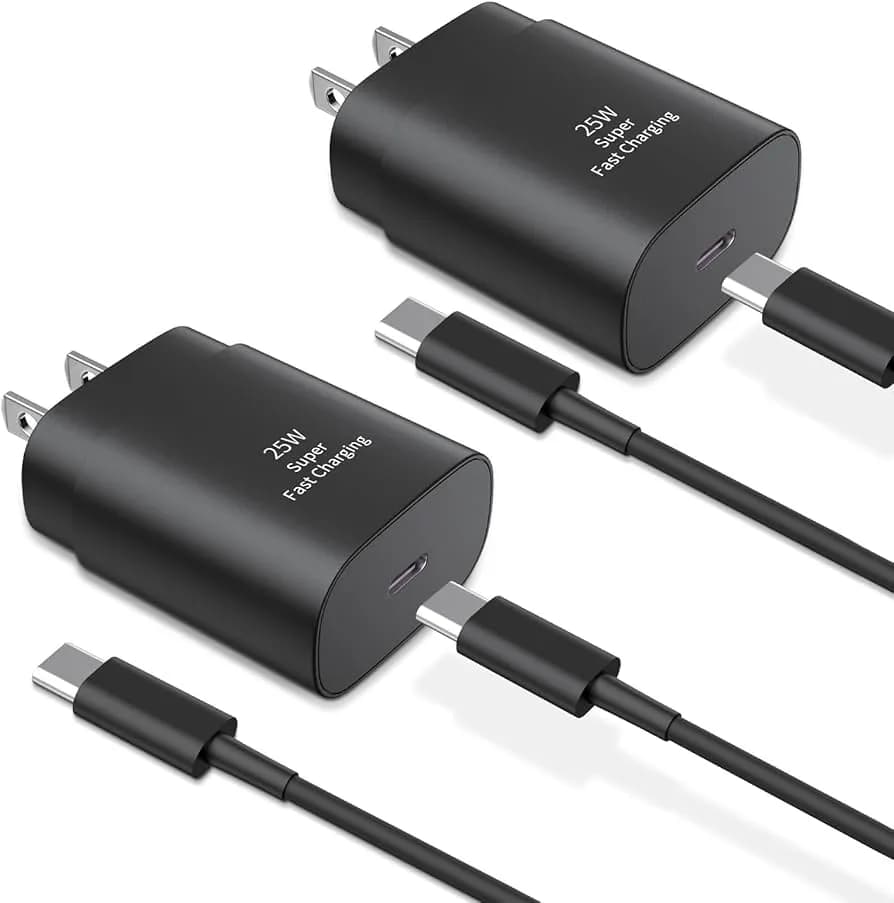
Best USB-C Fast Charging Adapters in 2026
This article reviews the best USB-C fast charging adapters, explains charging standards like PD & QC, covers wattage options, and guides you to choose the right charger for your device.