Back to Blog
Technology
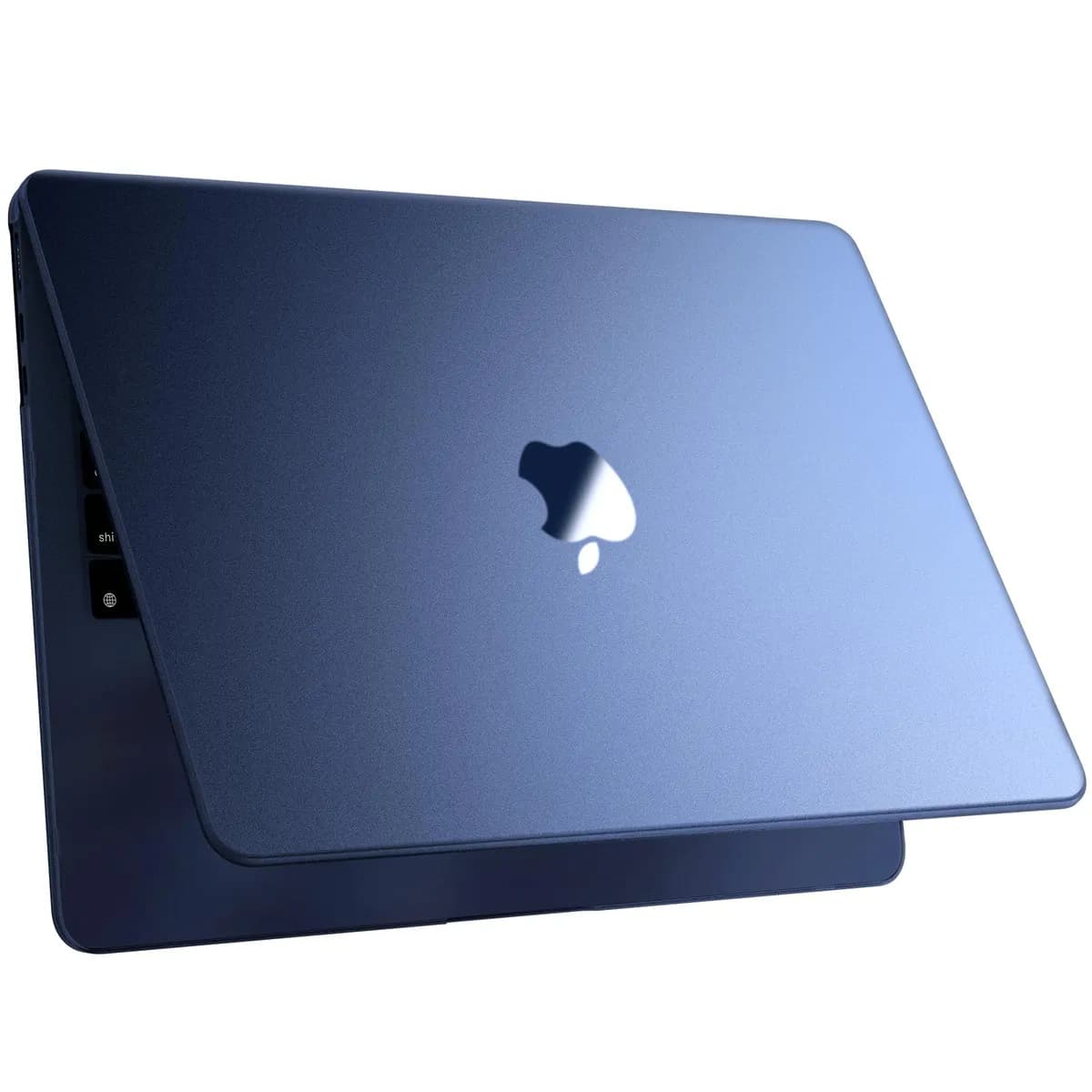
MacBook Air M4 Review: Pro-Level Performance Without the Pro Price
Real-world performance, all-day battery life, and pro-level power—without the Pro price
By Admin
Dec 26, 2025
4 views
Quick Verdict (For Buyers in a Hurry)
If you’re a creator, professional, or frequent traveler who wants serious performance in a lightweight laptop, the MacBook Air M4 is one of the best value Apple laptops you can buy in 2025. After switching from a MacBook Pro, I can confidently say: I don’t miss it.Real-World Display Test: Bright Light, No Problem
I was working inside a sun-filled atrium at a Hyatt Regency hotel. When sunlight flooded the space, my laptop screen was hit with intense glare—almost like working outdoors. A quick tap on the brightness key and everything remained perfectly readable. Yes, the MacBook Pro has a brighter, smoother display on paper. But after a month of daily use, the MacBook Air M4 has proven more than capable in real-world conditions. Specs matter—but usability matters more.Why I Upgraded from a 2021 MacBook Pro
I traded in my 2021 MacBook Pro M1 and received $810 in Apple credit, which I used toward the M4 Air. Final out-of-pocket cost? Just $789. Many colleagues questioned the move: .No SD card slot? .Only two USB-C ports? .Is an Air powerful enough for pro work? Short answer: Yes—absolutely.Which MacBook Air M4 Is Perfect For
✔ Photographers & creators ✔ Remote workers & podcasters ✔ Frequent travelers ✔ Professionals who value portability ✔ Anyone who doesn’t want to overpay for “Pro” branding ❌ Not ideal if you need extreme sustained GPU workloads or built-in SD/HDMI ports daily.Portability: The Biggest Upgrade You’ll Feel Every Day
MacBook Pro: 3.5 lb MacBook Air M4: 2.7 lb That weight difference may sound small—but in a backpack, it’s massive. The slimmer body (0.44") fits into bags that the Pro simply didn’t. If you travel or commute, this alone makes the upgrade worth it.M4 is faster then you expect
On paper, the jump from M1 Pro to M4 doesn’t look dramatic. In practice, it’s obvious—especially for creative tasks. Exporting large image batches in Capture One Pro finishes so fast that I sometimes double-check if the job actually ran.My Configuration (Recommended for Pros)
10-core CPU (4 performance + 6 efficiency) 10-core GPU 24GB RAM 1TB SSD This setup handles photo editing, video work, and audio production effortlessly. credit> Ferdus Rahman
Best configuration for creators—check availability here
Ports: Why I Don’t Miss Them The M4 Air includes: 2× Thunderbolt 4 / USB-C ports MagSafe charging Everything I use—camera, phone, iPad, display—is USB-C. One cable does it all. I carry a tiny USB-C card reader that fits in my pocket. In 2025, fewer ports are rarely a real problem. External Displays: Better Than Ever The M4 MacBook Air supports: Up to two external displays (6K @ 60Hz) Plus the built-in screen With one USB-C cable, I connect a 4K monitor instantly. Plug and play. Camera, Audio & Remote Work The upgraded 12MP Center Stage camera is a game changer for Zoom and video calls. Combined with the three-mic array, I no longer need external gear when teaching or recording remotely. For remote professionals, this alone adds huge value.Battery Life & Connectivity
Up to 15 hours of real-world use Wi-Fi 6E Bluetooth 5.3 It easily outlasts my old MacBook Pro—and that’s while doing real work, not just browsing.Pros and Cons
✅ Pros Extremely lightweight and portable Powerful M4 performance Excellent battery life Great webcam & audio Supports multiple external displays ❌ Cons No SD card slot No HDMI port 60Hz display (fine for most users)Final Verdict: Is the MacBook Air M4 Worth Buying?
Yes—100% worth it. I never thought I’d replace a MacBook Pro with a MacBook Air and feel more productive. But here we are. I travel lighter, work faster, and enjoy using my laptop more than ever. The MacBook Air M4 proves that modern “consumer” laptops are now powerful enough for professional work. 👉 Highly recommended for creators, travelers, and everyday professionals. 🔗 credit:Ferdus Rahman
Frequently Asked Questions
Comments (0)
No comments yet.
Leave a comment
Related Articles
View all stories
Technology•Jan 19, 2026
Hostinger vs Bluehost (2026)
This comparison explains the differences between Hostinger and Bluehost in pricing, performance, WordPress support, and usability. Both are beginner-friendly, but Hostinger offers better pricing while Bluehost provides stronger WordPress integration.

Technology•Jan 17, 2026
Bluehost Review 2026
This Bluehost review explains its features, performance, pricing, and suitability for beginners. Bluehost is a good hosting option for starting blogs, affiliate websites, and small business sites with ease.
Technology•Jan 14, 2026
Best USB-C Fast Charging Adapters in 2026
This article reviews the best USB-C fast charging adapters, explains charging standards like PD & QC, covers wattage options, and guides you to choose the right charger for your device.